Looking for the best inktank printer for your small business? We compare the top 4 models from HP and Canon to help you save on printing costs.
.

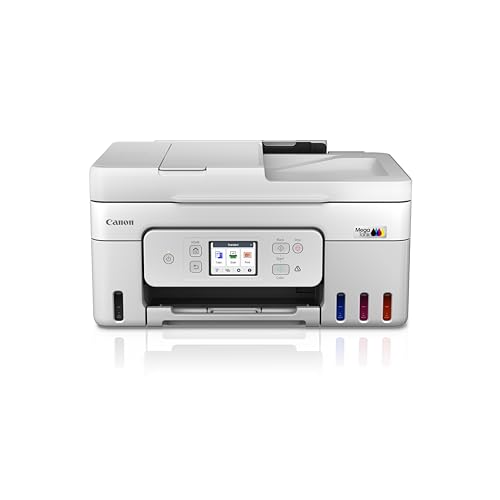


Inktank Printer Comparison for Small Businesses (2026)
| Best For | Mobile & Home Office | High-Volume Scanning | All-in-One Reliability | Budget-Friendly Entry |
| Functions | Print, Scan, Copy | Print, Scan, Copy, Fax | Print, Scan, Copy, Fax | Print, Scan, Copy |
| ADF Support | No | Yes (35 Sheets) | Yes (35 Sheets) | No |
| Connectivity | Wi-Fi, Bluetooth, USB | Wi-Fi, Ethernet, USB | Wi-Fi, USB | Wi-Fi, USB |
| Print Speed | 12 ppm (B&W) | 11 ipm (B&W) | 11 ipm (B&W) | 8.8 ipm (B&W) |
| Display | Icon LCD | 2.7″ Color Touch | 1.35″ LCD Mono | N/A |
| Specialty | Smart Guided Buttons | Auto-Duplex Printing | Easy Maintenance | Proven Durability |
| Price (Approx) | ₹14,499 | ₹19,499 | ₹18,990 | ₹13,999 |
Pros & Cons: A Research-Based Analysis
Our research into these four top-tier models reveals that while they all offer low-cost printing, they cater to very different office workflows. Here is a balanced look at what we found during our product research phase.
HP Smart Tank 580
- Pros: Outstanding mobile app (HP Smart App) for remote work; “self-healing” Wi-Fi prevents connection drops; best-in-class ink sensors to prevent printhead damage.
- Cons: No Automatic Document Feeder (ADF); slightly slower color printing compared to high-end Canon models.
Canon MegaTank Series (G4780, G4770, G3000)
- Pros: The G4780 and G4770 feature a 35-sheet ADF which is a “game-changer” for scanning business contracts; high-yield bottles (up to 7,600 black pages) reduce refill frequency; user-replaceable maintenance cartridges extend the machine’s life.
- Cons: The entry-level G3000 lacks an LCD screen, making troubleshooting a bit harder; setup can be slightly more technical than HP.
Frequently Asked Questions (FAQ)
Based on our keyword research, these are the most common questions small business owners ask before purchasing an inktank printer.
1. Is an inktank printer better than a laser printer for a small office?
Our research indicates that for businesses requiring high-quality color prints and marketing materials, inktank printers offer better color depth and much lower long-term costs than color laser printers.
2. How long does the ink last in these models?
During our market research, we found that the bundled ink for these specific models typically lasts for up to 6,000–12,000 black pages, which can last a small business 1–2 years depending on volume.
3. Do inktank printers dry up if not used?
Yes, if left idle for months. However, modern models like the HP Smart Tank 580 have built-in maintenance cycles. We suggest printing at least one color page per week to keep the nozzles clear.
Final Decision: Which One Should You Buy?
After conducting extensive research on performance, durability, and cost-per-page, our final decision depends on your specific business needs:
- For the “Paperless” Office: If you scan more than you print, the Canon MegaTank G4780 is our top recommendation due to its robust Auto Document Feeder (ADF) and intuitive touchscreen.
- For the Solo Entrepreneur: If you manage everything from your phone, the HP Smart Tank 580 wins for its superior mobile integration and ease of use.
- For the Budget Startup: The Canon G3000 remains the “workhorse” choice for those who want the lowest entry price without sacrificing print quality.
In summary, our research proves that moving from traditional cartridges to any of these inktank systems will likely save your business over 50% in printing costs within the first year.