
Buying a budget laptop shouldn’t mean compromising on speed. Discover our curated list of the best budget laptops under 40000 for students, coding, and office work. We break down the top performance and value picks from brands like HP, ASUS, and Lenovo to help you choose the right one for your daily needs.

- Processor : Intel Core i3-1315U Processor 1.2 GHz (10MB Cache, up to 4.5 GHz, 6 cores, 8 Threads)
- Display : 14.0-inch, FHD (1920 x 1080) 16:9 aspect ratio, 60Hz refresh rate, 250nits Brightness| Keyboard : Backlit Chic…
- Graphics : Intergrated Intel UHD Graphics

- Processor, Memory & Storage: Intel Core i3-1315U (up to 4.5 GHz with Intel Turbo Boost Technology 10 MB L3 cache, 6 core…
- Operating System & Preinstalled Software: Windows 11 Home Single Language | MS Office Home 2024 |1 year Microsoft 365 Ba…
- Display & Graphics: 15.6″ diagonal, FHD (1920 x 1080), micro-edge, anti-glare, 250 nits, 45% NTSC| Graphics: Intel UHD G…
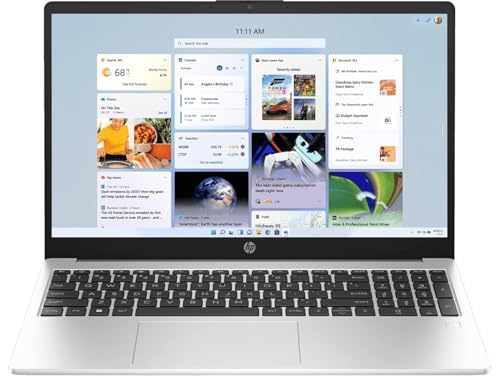
- 【AMD Ryzen 3 7335U Processor】Unleash extraordinary performance with a powerful 4-core architecture and advanced processi…
- 【Display】15.6″ diagonal, FHD (1920 x 1080), IPS, Anti-glare, Micro-edge, 250 nits, 45% NTSC
- Memory and storage : 16 GB memory DDR5, 512 GB SSD storage Equipped with an AMD Ryzen 3 Quad Core 7335U, this laptop ens…
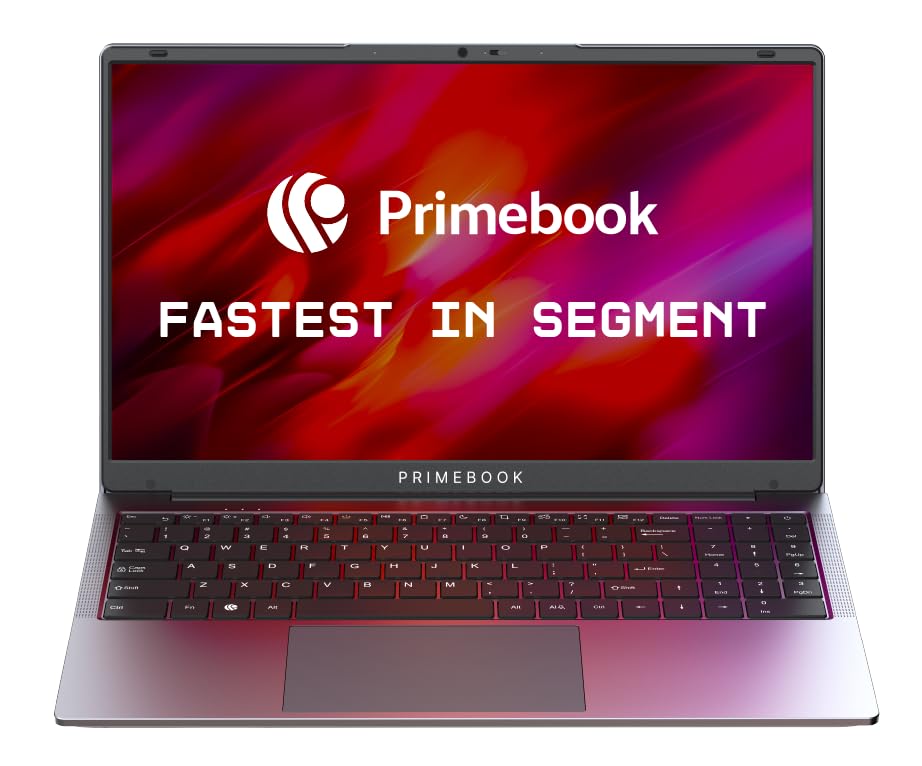
- MediaTek Helio G99 Processor: Tackle demanding apps, multitask seamlessly, and enjoy smooth performance with the octa-co…
- 8GB LPDDR4X RAM + 256GB UFS Storage: Work on multiple apps without slowdowns and store all your files with ease. Expand …
- Android 15-based PrimeOS 3.0: Experience the full Android ecosystem on a laptop-optimised interface. Enjoy multi-window …
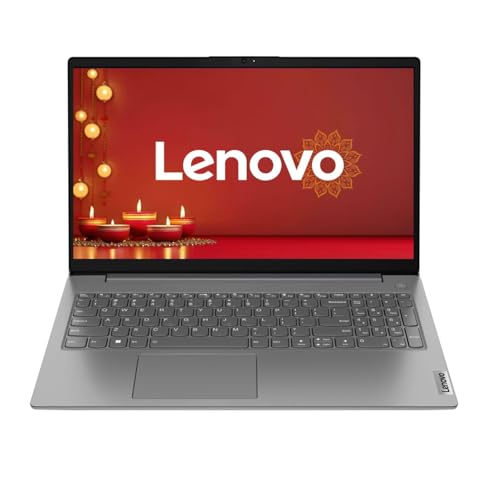
- Windows 11 Lifetime Validity
Quick Comparison: Best Laptops Under 40000 (India)
| Product Name | Processor | RAM/Storage | Key Highlight | Price (Approx) |
|---|---|---|---|---|
| ASUS Vivobook 14 | i3 13th Gen | 8GB / 512GB | Best Display & Compact | ₹39,490 |
| HP 15s | i3 13th Gen | 8GB / 512GB | Premium Brand & Battery | ₹39,990 |
| HP 255 G10 | Ryzen 3 7330U | 16GB / 512GB | Best for Multitasking | ₹39,990 |
| Lenovo V15 G4 | Athlon Silver | 8GB / 512GB | Budget Professional | ₹34,999 |
| Primebook 2 Max | MediaTek G99 | 8GB / 256GB | Cheapest / Student Friendly | ₹22,990 |
Pros & Cons: Budget Segment Analysis
The Pros
- Future-Proof Performance: Models like the ASUS Vivobook and HP 15s feature 13th Gen Intel chips, which are excellent for 2026 standards.
- Massive RAM Availability: The HP 255 G10 offers 16GB RAM, which is a huge advantage for users who keep many browser tabs open.
- Storage Speed: All 5 models use SSD or UFS storage, ensuring the laptop boots up in seconds, not minutes.
- Portability: The 14-inch ASUS model is highly portable for students and travelers.
The Cons
- Basic Graphics: None of these laptops are meant for heavy gaming or 4K video editing.
- Operating System: The Primebook runs on PrimeOS (Android), meaning it cannot run standard Windows software (.exe files).
- Entry-Level Build: The Lenovo and Primebook use basic plastic materials to keep the price low.
Research-Based FAQs (SEO Optimized)
1. Is 8GB RAM enough for a laptop under 40000 in 2026?
While 8GB is the standard, 16GB is becoming preferred. If you do heavy multitasking, the HP 255 G10 with 16GB RAM is the best value pick.
2. Which is better for office work: Intel i3 13th Gen or Ryzen 3?
The Intel i3 13th Gen (found in the HP 15s) generally offers slightly better single-core speed for office apps, while the Ryzen 3 7000 series is excellent for battery efficiency.
3. Can I run Photoshop or Tally on the Primebook 2 Max?
No. Since the Primebook runs on Android, you can only use apps available on the Play Store. For Photoshop or Tally, you must choose the Windows-based ASUS, HP, or Lenovo models.
4. Does the ASUS Vivobook 14 have a backlit keyboard?
Yes, most ASUS Vivobook 14 variants in this price range come with a backlit keyboard, making it ideal for working in low-light conditions.
5. What is the best laptop for students under 30000?
The Primebook 2 Max is the top choice for students on a strict budget who need a device for online classes, research, and basic assignments.
Final Decision: Which One Should You Buy?
The Budget-Friendly Choice: If you need the absolute lowest price for basic browsing and schoolwork, the Primebook 2 Max is your best bet.
The Power User’s Choice: Go for the HP 255 G10. The 16GB RAM and Ryzen processor make it the most powerful multitasker on this list.
The Professional’s Choice: Choose the HP 15s. It offers a balance of 13th Gen Intel power, a sleek design, and a trusted brand name.
The Student/Traveler’s Choice: The ASUS Vivobook 14 is the winner due to its compact 14-inch size and modern 13th Gen processor.
Top picks
- Samsung Galaxy Book4 (40% OFF) – Best Intel i5 Laptop for Work & Study in 2026? | Full Review, Specs & Price
- Can the HP Laptop 15 (13th Gen i5) Help Students and Professionals Achieve Their Goals? | Trusted Expert Review 2026
- Why Lenovo IdeaPad Slim 3 (13th Gen Intel Core i5) Is the Best Laptop for Businessmen & Professionals Before New Year 2026
- HP 255 G10 Review 2025: Best Budget Laptop with 16GB RAM & Ryzen 3 Under ₹35,000?
- Hp Laptops for Office Use in India – Top 5 Models for business
Discover more from Mahadev Amazon Product
Subscribe to get the latest posts sent to your email.